
If you want contacts created through non-HubSpot forms to automatically become marketing contacts, you can manage that in your global non-HubSpot form settings. By default, this setting is already turned on.
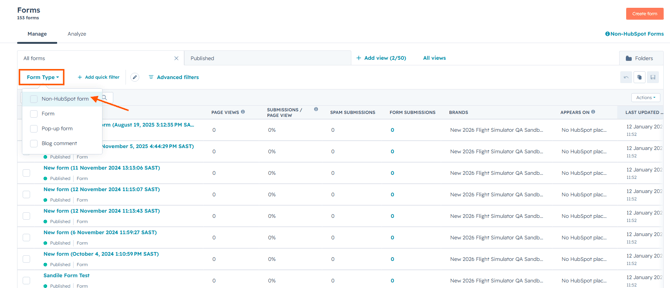
- In your HubSpot account, go to Marketing > Forms.
- Click the Non-HubSpot Forms tab
- Find Set contacts from non-HubSpot forms as marketing contacts.
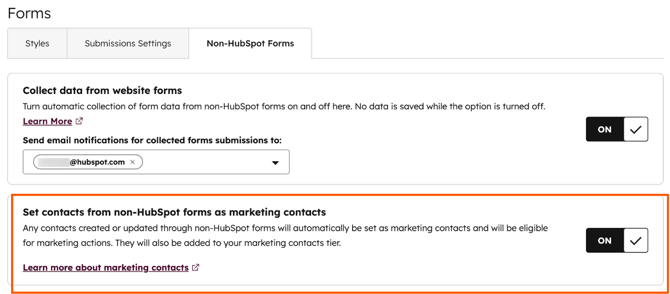
Image Source: HubSpot article - Leave the setting on to automatically set new contacts as marketing contacts.
- If needed, turn the setting off to create those contacts as non-marketing instead.
💡 Good to know:
- You’ll only see this setting if your account has access to marketing contacts.
- Non-HubSpot forms need a populated email address field to collect submissions.
- This setting applies to all non-HubSpot forms, not just one form at a time.
- When it’s turned on, existing non-marketing contacts who submit a non-HubSpot form will also be updated to marketing contacts.
Need more granular control over which contacts become marketing contacts? Workflows may be a better fit for your process.